I’m officially burnt out on all the viral “productivity apps” floating around online. Most feel so clunky, overpriced, and stuffed with random unnecessary features. They don’t save me any time whatsoever — if anything, they just slow down my whole workflow.
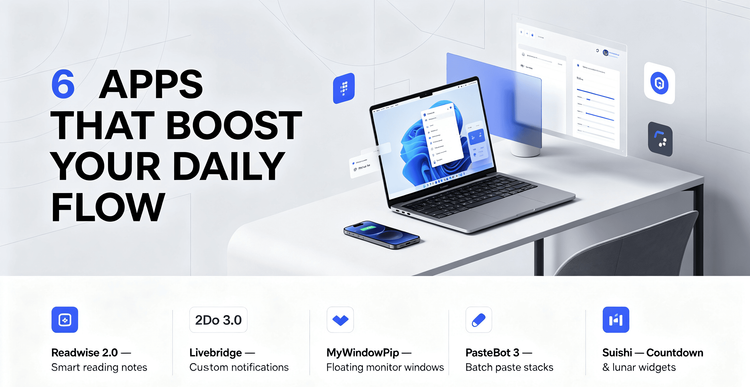
I’ve been testing out dozens of tools lately to clean up my work/study routine, and narrowed it down to 6 absolute staples. They work on Mac, iOS, and Android, zero cringey gimmicks, just solid tools that actually help me get things done faster.
Readwise 2.0 is hands down my favorite find for reading lovers. You can now AI chat with all your saved book highlights to better absorb what you’ve read, scan physical handwritten notes to digitalize them in one tap, and even voice log your thoughts whenever you’re too lazy to type. Game-changing for anyone who reads a lot and hates messy, unorganized notes.
If you’re a Mac person who’s obsessed with to-do lists to stay on track,2Do for Mac 3.0 is a must-have. The cross-device cloud sync is completely free (no paywall nonsense!), and it integrates seamlessly with your calendar. I rely on it every day to sort my tasks and map out my schedule — super smooth and reliable.
Android crew, listen up: Livebridge is such an underrated gem. It’s Android-only, lets you fully customize those floating capsule notifications on your screen, and it’s open-source with absolutely no ads. No random pop-ups interrupting your phone usage, just clean, personalized notifications.
I’ve been usingMyWindowPip nonstop on my Mac recently. It lets you pull up floating PiP windows anywhere on your screen. I keep small overlay windows for downloads and ongoing chats while I’m working, so I don’t have to spam tab-switch every two minutes. Such a tiny tweak that saves so much hassle.
Heavy copy-paste users, this one’s for you: PasteBot 3. It’s an insane Mac clipboard tool with automation support and batch paste stacks. I compile research notes and edit long texts all the time, and this tool has cut my repetitive work time in half, no exaggeration.
For anyone needing a simple countdown tool on Android, check out Suishi. It’s minimalist, totally ad-free, and has really nice lunar calendar home screen widgets. I use it for exam prep countdowns and tracking big upcoming dates — clean, lightweight, and does exactly what it’s supposed to.
The best part? Almost all these open-source tools are 100% free. The few premium reading and task apps come with free trials too, so you can test them out fully before committing to anything. No wasted money on useless apps!
If your daily workflow feels messy and unproductive, give these apps a go. No overhyped garbage, just practical tools that genuinely upgrade your study and work routine.
#ProductivityApps #MacTools #AndroidTools #StudyTips #WorkFromHomeTech #ReadingTools