
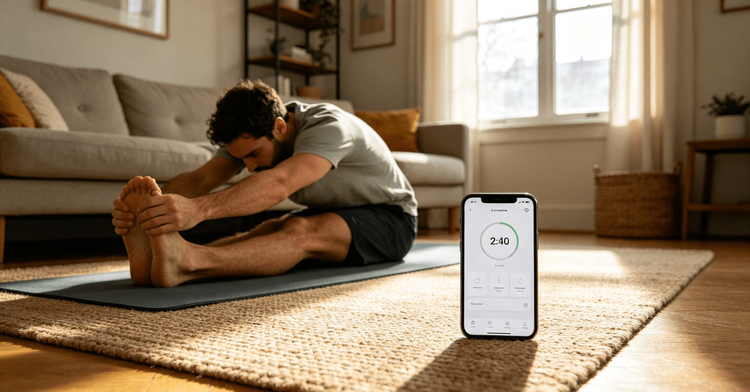
Most fitness enthusiasts have fallen for the same common trap. You scroll social media, discover a trendy new fitness app, and get instantly hooked by its clean UI, endless workout libraries, and professional-looking data dashboards. It’s easy to get caught up in the hype, purchase a yearly subscription, import all your workout routines, log your weight and body metrics, and fully commit your entire fitness routine to an untested platform.
But once the initial excitement fades, hidden flaws start to surface one after another. GPS running tracks drift randomly during evening jogs, high-intensity workout sessions crash mid-training, workout records disappear without warning, core features stop working without internet access, and notifications are either overly intrusive or completely absent. What’s supposed to be a tool to boost consistency and discipline ends up disrupting your fitness rhythm, leaving you frustrated and more likely to skip workouts entirely.
After testing dozens of mainstream fitness and workout apps over the years, I’ve landed on a simple, honest rule. A fitness app’s value never depends on its pretty interface or long feature list. The true mark of a reliable fitness tool is far more practical: Can it handle the messy, inconsistent, and imperfect reality of everyday fitness life?
Busy schedules, poor outdoor signal coverage, interrupted workouts, frequent device switching, and unfinished training sessions are all normal parts of regular fitness routines. These ordinary, overlooked scenarios are what separate high-quality fitness apps from worthless ones. Never migrate all your fitness data to a new app in one go.** My personal 14-day trial test method reveals every hidden weakness of a platform, helping you safely pick a tool that truly fits your lifestyle.

1. Test With Real Workouts, Not Fake Demo Routines
Most people test fitness apps the wrong way. They try a few minutes of sample workout videos or walk a few steps to log basic activity, then label the app as reliable. This shallow testing delivers zero real insight, because every app is polished and flawless in its pre-made demo mode.
To uncover real bugs and functional flaws, always test with your actual daily workout habits rather than artificial, made-up data. Even if the app turns out to be underwhelming, your original fitness routine remains unaffected, with almost no risk involved.
Whether you prefer morning or night runs, home strength training, yoga stretching, fat loss tracking, ball sports, or scheduled specialty workouts, use your regular routine as your test case. Don’t adjust your habits to fit the app’s features. Log your workout duration, access course content, enable heart rate monitoring, save movement tracks, track weight loss progress, and complete daily check-ins naturally. Only real, unscripted fitness behavior can expose hidden lag, data inaccuracies, and functional loopholes.
2. Prioritize Smooth Operation: Simplicity Equals Reliability During Workouts
During an active workout, your focus stays on breathing control and movement form, leaving no mental energy for complicated app operations. For fitness apps, one core principle always stands true: fast startup, one-tap logging, and quick session completion are far more valuable than fancy niche features you’ll never use.
I always simulate real-life usage scenarios during testing. This includes launching workouts directly from your phone, starting sessions via smartwatch sync, using home screen widgets for instant check-ins, and switching workout types mid-session. I pay close attention to critical details: can you start a workout in one second? Can you save all data with a single tap? Can you resume and log paused workouts later? Can you record random, spontaneous exercise without complex category setup?
Any cumbersome or laggy step in the workflow will eventually make you avoid logging workouts long-term. Tools exist to serve users, not the other way around. Any app that forces you to adapt and struggle with its system is impossible to stick with consistently.
3. Verify Recurring Workout Logic to Avoid Schedule Chaos
Consistent fitness lovers follow fixed routines: daily stretching, weekly strength training, monthly fat loss goals, and morning or evening shaping sessions. These repetitive, cyclic workouts best test an app’s stability and development polish. Most fitness apps appear identical on the surface, but their underlying recurring task logic varies drastically.
During testing, I set up daily looping workouts, fixed-frequency strength courses, and progressive weight loss plans. I also simulate real user behavior: intentionally skip a session, delay check-ins, pause entire training cycles, and make up missed workouts from previous weeks. I strictly check key functions: does the next scheduled workout automatically reschedule after a skipped session? Does the app generate duplicate tasks? Can users manually pause and restart recurring plans? Do overdue tasks clutter the interface and interfere with new workouts?
This testing phase determines the long-term stability of your fitness routine. It effectively prevents schedule disorder, data overlap, and messy workout tracking, keeping your self-improvement journey organized and controllable.
4. Evaluate Notification Logic: Precise Alerts Beat Constant Spam
Workout reminders, check-in alerts, and course update notifications are basic app functions — yet they’re one of the top reasons users abandon fitness platforms. Many apps have severely unbalanced notification systems: they flood users with endless marketing pop-ups that disrupt daily life, or fail to deliver critical workout reminders, ruining carefully planned fitness schedules.
Keep all notification permissions enabled during the 14-day trial to experience the app’s alert rhythm authentically. Focus on these key points: do reminders align with your personal schedule? Can the app distinguish workout alerts from promotional ads? Can you snooze or disable single reminders for busy moments? Does the app provide clear confirmation after you complete a workout? Great apps motivate consistency with targeted reminders; bad ones create meaningless noise, leading users to either uninstall the app or ignore all future alerts.
5. Test Search and Data Review Features to Judge Long-Term Value
New apps always look clean and organized with minimal data at the start. But as you keep working out, accumulated workout logs, saved courses, body metric records, and training plans quickly pile up. The ability to search records fast and review progress clearly is what separates premium apps from mediocre ones.
I always conduct a full weekly review on day seven of the trial. I search past workouts with vague keywords, such as “last week jog” or “this month strength training,” to test if the app can accurately match relevant records. I also analyze the data dashboard, checking daily exercise duration, monthly check-in rates, body trend graphs, and overdue task displays. If you need exact, perfect titles to find records and have to sort data manually for reviews, the app will only waste your time and energy, making it unsuitable for long-term use.
6. Test Data Export Early to Protect Your Fitness Achievements
Countless fitness users have encountered a devastating issue. After years of tracking workouts, building custom training plans, and logging body progress, they lose everything due to expired subscriptions, app updates, or account errors. Without proper export functions, years of fitness data vanish permanently with no way to recover.
Never wait for a problem to test data export features. During the 14-day trial, actively export a sample dataset and verify every detail: workout duration, heart rate logs, GPS tracks, check-in history, body metrics, saved courses, and custom plans. Confirm exported files are readable, savable, and support bulk exports of all historical records. Reliable data export is a basic sign of an app’s credibility. Any platform that stores your fitness journey should let you fully own and back up your data.
7. Test Offline Performance for All-Scenario Fitness Compatibility
Stable internet is never guaranteed during real workouts. Outdoor runs through tunnels, workouts in low-signal gyms, and quick training sessions during your commute all involve weak or zero network connectivity. Many fitness apps stop functioning offline entirely, causing data loss, track errors, and duplicate check-ins once your internet reconnects.
Complete a dedicated offline test during your trial. Turn off your network, start regular runs, strength sessions, and stretching workouts, then finish check-ins, edit plans, and save records offline. After reconnecting to the internet, carefully verify full data synchronization and check for duplicates, track drifting, or missing content. Also test cross-device sync between phones, smartwatches, and tablets to eliminate data mismatch, missing plans, and inconsistent check-in statuses across devices.
8. 14-Day Step-by-Step Testing Schedule for Beginners
No need to design your own testing workflow. Follow this simple daily schedule to cover every core test scenario and accurately evaluate app quality:
- Day 1: Build a personalized fitness plan based on your real routine, avoiding generic templates.
- Day 2: Test multi-device startup and one-tap check-in smoothness on phones and smartwatches.
- Day 3: Set up recurring workouts and verify schedule rescheduling, pausing, and makeup logic.
- Day 5: Adjust notification settings and test reminder accuracy and flexibility.
- Day 7: Search historical workout data with vague keywords and complete a full weekly progress review.
- Day 10: Export sample data to confirm export integrity and file usability.
- Day 12: Simulate weak network and offline environments to test offline logging and sync performance.
- Day 14: Compile all pros and cons to decide long-term usage and full data migration.
9. Targeted Testing for Different Fitness Goals (Avoid Blind Hype)
There is no one-size-fits-all fitness app. The best platform depends entirely on your personal fitness needs.
- Outdoor runners: Prioritize GPS accuracy, offline track stability, pace precision, and battery performance. Specifically test track drifting near tall buildings, tunnels, and shaded areas.
- Home workout beginners: Focus on clear course explanations, detailed movement guidance, beginner-friendly difficulty, and accurate timing. Choose simple, intuitive apps and avoid overly complex platforms.
- Fat loss and body shaping users: Test weight, body fat, and circumference tracking, calorie logging, goal review systems, and visual trend curves to ensure accurate, traceable fitness data.
- Long-term disciplined fitness users: Evaluate recurring plan stability, data backup and export, cross-device sync, custom workout creation, and long-term data retention.
- Team workout groups: Test team check-ins, shared tasks, progress visibility, group notifications, and permission settings to avoid team data errors and unsynced progress.
10. Ignore Aesthetic Hype: Stability Always Beats Flashy Design
Many modern fitness apps prioritize appearance over functionality, featuring animated visuals, customizable homepages, and polished data panels while lacking solid core workout features. Countless users fall for aesthetic marketing, spending excessive time adjusting app layouts, sorting courses, and tweaking settings instead of actually working out — a complete backwards priority.
During your 14-day trial, clearly distinguish decorative features from practical functions. If most of your time goes toward customizing the app rather than completing workouts and reviewing progress, the tool is nothing but a useless gimmick. A high-quality fitness app only has one core mission: simplify fitness workflows, lower self-discipline barriers, and make workouts and progress tracking easier, not more complicated.
11. Test Low-Motivation Days: Great Tools Avoid Fitness Anxiety
Every app works perfectly when you have plenty of time and high motivation. The real difference between good and bad apps shows on tired, busy, or inconsistent days — the most common scenarios for regular people.
Simulate low-energy usage during your trial. Start quick simple workouts when exhausted, postpone check-ins when busy, and intentionally leave a few sessions unfinished. Then open the app and observe the interface layout. Check if overdue tasks are organized clearly, if makeup workflows are simple, and if the app avoids overwhelming red warning labels that trigger fitness guilt and anxiety. Reliable fitness tools support users through inconsistent routines, helping you reorganize missed workouts and get back on track without unnecessary mental pressure.
12. Final Judgment Rule: One Question Decides Long-Term Use
After your two-week full trial, you don’t need to overanalyze every minor advantage or flaw. Ask yourself one straightforward core question: Does this app make my fitness routine easier, more organized, and less stressful?
If it enables fast logging, accurate tracking, stable data retention, and clear progress reviews while lowering self-discipline resistance, gradually migrate your full fitness data and stick with it long-term. If it only looks polished and feature-rich but suffers from frequent errors, clunky operation, and disrupted workouts, abandon it immediately regardless of its ratings or online reputation. Choosing a fitness app is never about picking the most impressive platform — it’s about finding a stable, practical tool that fits your lifestyle and supports long-term fitness consistency.